Random Food Picker
Cannot decide what to eat? Spin the wheel for a fair pick, or paste your own shortlist of takeaways and recipes.
Press Space to spin · 0 dishes in play
The random food picker settles “what should I eat” in one spin. Twelve everyday dishes are on the wheel to start with, you can replace them with your own shortlist in about twenty seconds, and every dish has exactly the same chance of winning. Nothing is stored on a server and no account exists.
How to Use the Random Food Picker
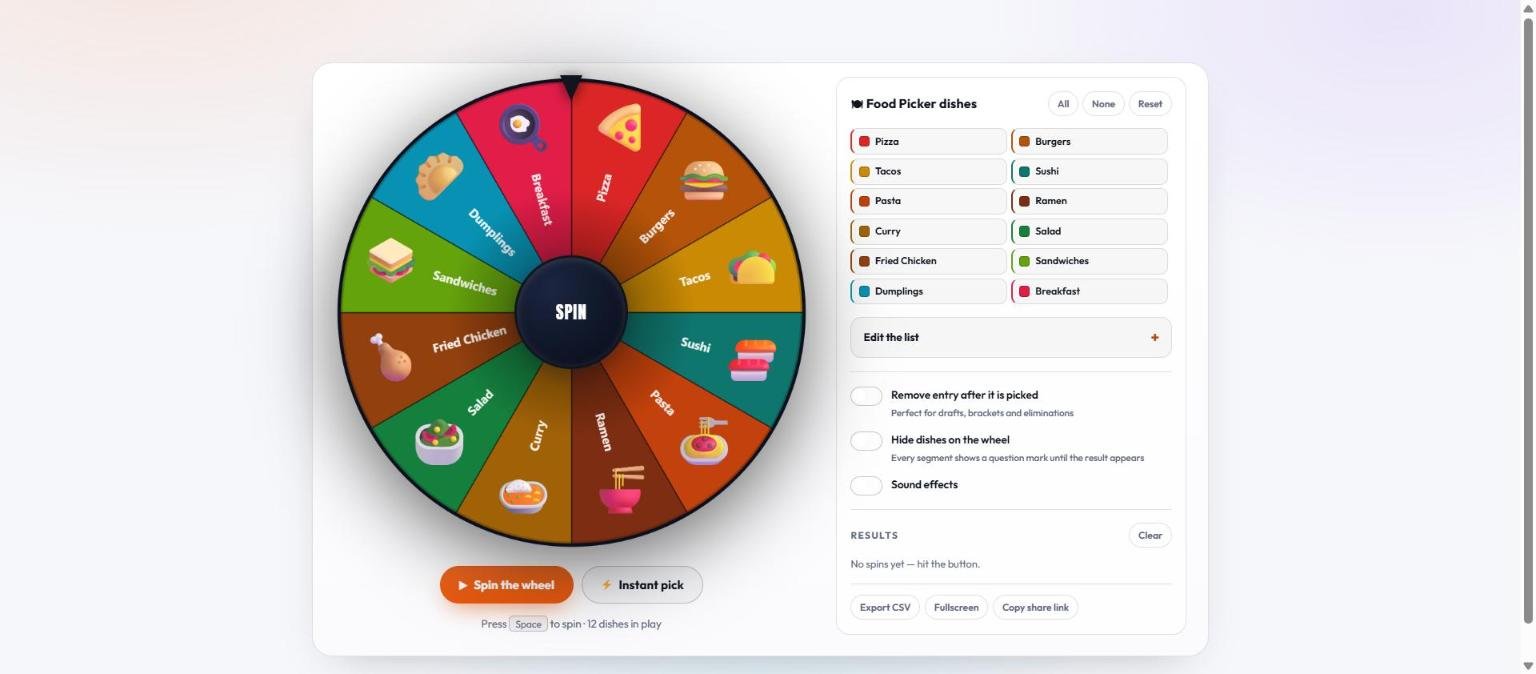
- Press Spin the wheel. The button under the wheel, the SPIN hub in the middle, or the space bar all do the same thing. In a hurry, Instant pick skips the animation.
- Read the dish. The winner appears on the result card and is announced to screen readers.
- Spin again if the list was wrong, not the result. Re-spinning because you did not like the answer is how a draw stops meaning anything — if a dish is not a real option tonight, take it off the wheel instead.
- Narrow the list first for a better answer. Tap any dish to grey it out. No delivery tonight? Switch off the takeaway options before you spin.
The twelve starting dishes are deliberately broad — pizza, burgers, tacos, sushi, pasta, ramen, curry, salad, fried chicken, sandwiches, dumplings and breakfast. They are a starting point for the first spin, not the product. The tool gets genuinely useful once the wheel holds your own options.
Put Your Own Meals on the Wheel
The fastest way to make the picker useful is to fill it with things you would actually eat tonight: the four takeaways that deliver to you, the six recipes you can cook without shopping, or whatever is currently in the freezer.
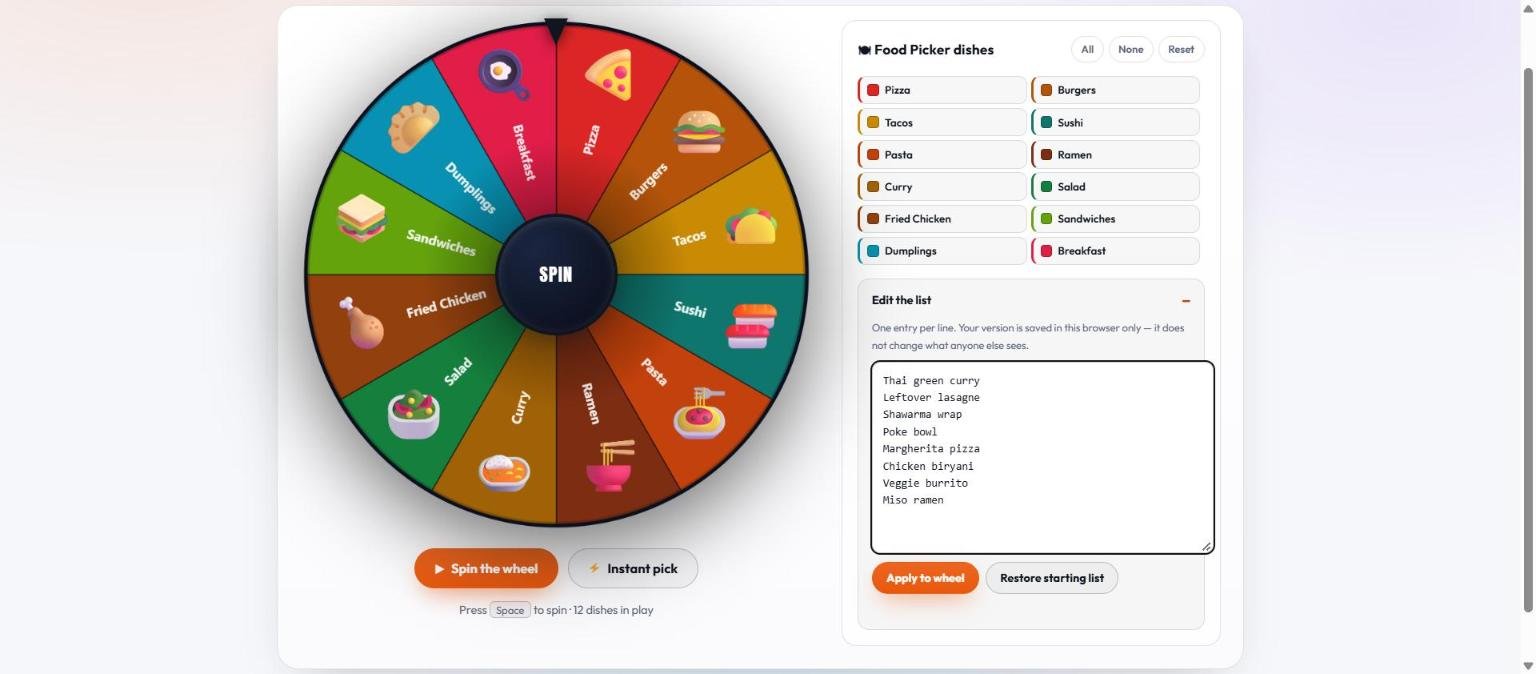
- Open Edit the list in the panel beside the wheel.
- Type or paste one meal per line. A column copied out of a notes app or a spreadsheet pastes straight in. The wheel takes up to 100 entries.
- Press Apply to wheel. The segments redraw and the line under the buttons tells you how many dishes are in play.
- Your list is remembered. It is saved in that browser, so the same shortlist is waiting tomorrow night. Restore starting list puts the original twelve back.
One thing to know: your own entries show as coloured segments with the dish name, without an emoji. The emoji belong to the twelve shipped dishes. That is cosmetic and changes nothing about the draw.
Your list never leaves your device. It is held in your browser’s local storage, not on a server, so we could not tell you what is on your wheel even if you asked.
Reading the Result
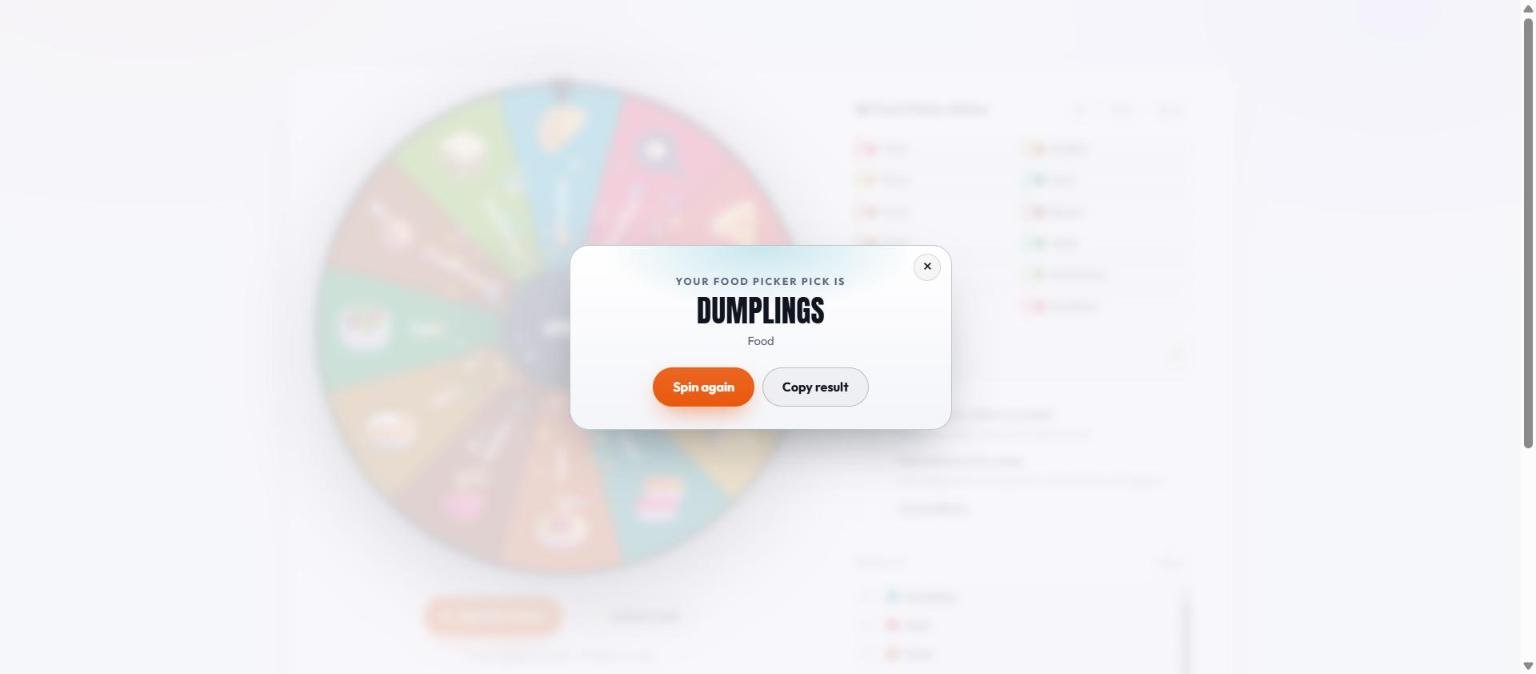
The result card does one job: it names the dish. Spin again goes straight back for another draw, and Copy result puts the name on your clipboard, which is the quickest way to end a group chat argument. Close the card and the full run so far stays in the Results list underneath.
Plan a Whole Week Without Repeats
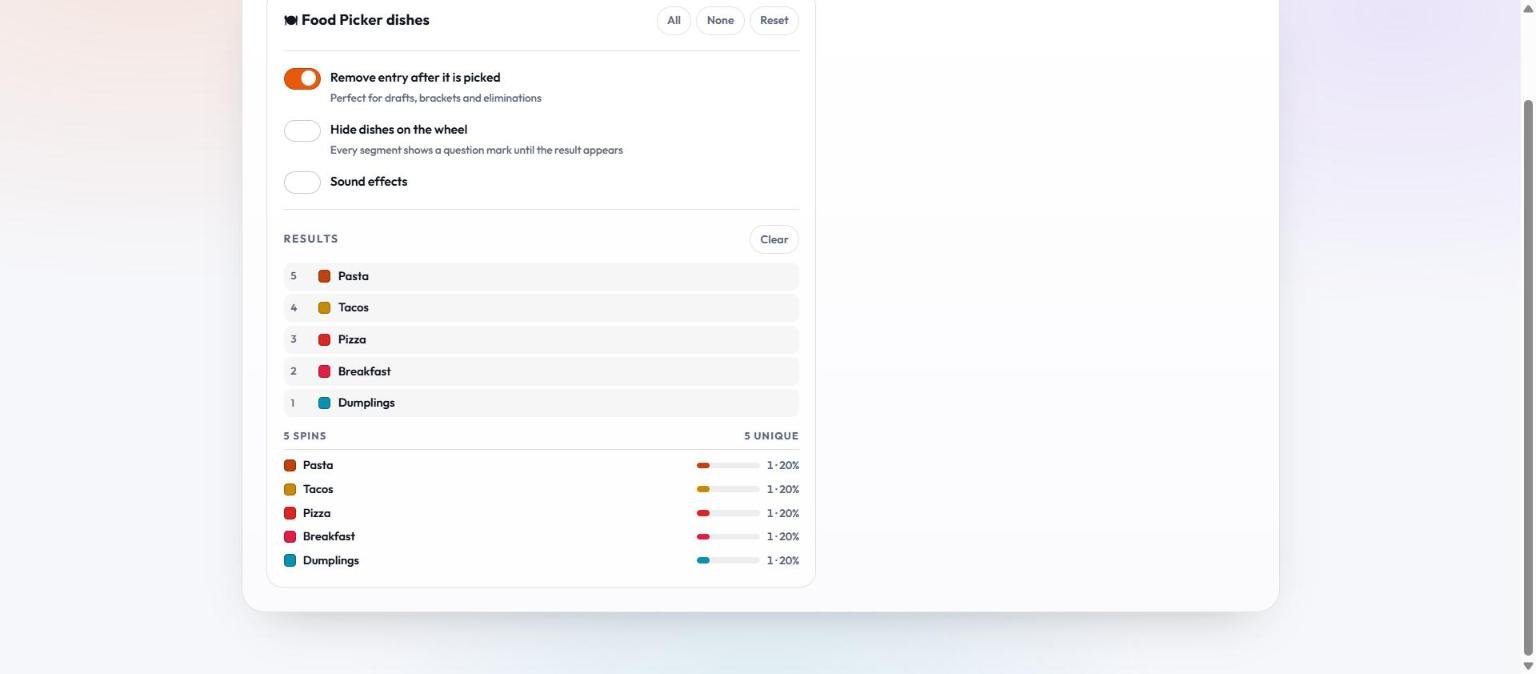
This is the feature most people miss, and it turns a novelty into something genuinely useful. Switch on Remove entry after it is picked and each dish leaves the wheel as it is drawn, so a run of spins produces a meal plan with nothing repeated.
- Load the meals you are willing to cook this week.
- Turn on Remove entry after it is picked before the first spin.
- Spin once per night you are planning. Five spins, five different dinners.
- Read the plan off the Results list — first drawn at the top — or press Export CSV to drop it into a shopping list.
Leave the switch off when you want a one-off answer to “what do I fancy right now”, because then every dish stays eligible on every spin.
Why Let a Wheel Decide Dinner
Deciding what to eat is a small question asked constantly, and the cost is rarely the decision itself — it is the twenty minutes of “I do not mind, what do you want?” that comes first.
- It breaks the deadlock. Two people who both genuinely do not mind can stall for half an hour. A wheel answers in two seconds and neither of them has to own the choice.
- It widens what you eat. Left to habit, most households rotate the same four or five meals. A wheel keeps the sixth and seventh in play.
- It removes the blame. Nobody has to be the person who chose the disappointing restaurant, which is most of what the argument was ever about.
- It beats a coin for more than two options. A coin handles two; this handles up to a hundred.
Where it genuinely does not help: allergies, dietary requirements and anything you simply cannot eat. Take those off the wheel before you spin rather than re-spinning afterwards.
What to Put on the Wheel
The picker works for more than tonight’s dinner. The list is just text, so anything you can write down can go on it.
| Situation | What goes on the wheel | No-repeat mode |
|---|---|---|
| Dinner tonight | The meals you can actually make or order right now | Off |
| A week of dinners | Seven or more meals you are happy to cook | On |
| Which takeaway | Only the places that deliver to you | Off |
| Cuisine first, dish later | Italian, Thai, Mexican, Indian, Japanese | Off |
| Lunch at work | The nearby places plus “whatever is in the fridge” | On, for a week |
| Who cooks tonight | The names of everyone in the house | On, for a rota |
| Using up the freezer | Exactly what is in there | On |
| Restaurant roulette | Places you have never tried | On |
The “who cooks tonight” row is worth stealing. Put names rather than meals on the wheel, turn on no-repeat, and you have a cooking rota nobody negotiated. The name draw tool is built for exactly that if you would rather keep the two lists apart.
Using It With a Group
A food wheel is most useful when more than one person is involved, and that is also where it is easiest to use badly.
- Agree the list before you spin, not the result. Everyone gets a veto on what goes on the wheel. Nobody gets a veto on what comes off it.
- Spin on a shared screen. A result you ran privately and then reported is a claim; a spin everyone watched is a decision.
- Use Copy share link for a remote group. It encodes your list into the URL, so everyone opens the same wheel without anything being stored on a server.
- Decide the re-spin rule in advance. “Best of three” is fine if it was agreed before the first spin, and meaningless if it was invented after it.
Spin Twice: Cuisine First, Then the Dish
A single wheel holding forty dishes produces a result nobody feels any ownership of. Two smaller spins work far better, and take about the same time.
- Load cuisines on the first spin. Italian, Thai, Mexican, Indian, Japanese, British, Greek — six or seven is plenty.
- Spin once to pick the cuisine. That single answer removes most of the argument, because the disagreement is usually about the category rather than the dish.
- Replace the list with dishes from that cuisine and spin again.
The reason this works is not mathematical, it is psychological. Choosing from six broad options feels like a decision people made together; choosing from forty specific ones feels like a decision that happened to them. The odds are identical either way.
Keeping the Wheel Worth Spinning
A food wheel goes stale faster than any other list on this site, because what you can actually eat changes with the shopping, the season and whichever place stopped delivering to your postcode.
- Take off anything you would veto. A dish you would re-spin past does not belong on the wheel — it is the single thing that makes the result feel rigged.
- Keep it to what is possible tonight. A wheel of meals needing a supermarket trip answers a different question from the one you asked at six o’clock.
- Re-read it once a month. Tap out what you have gone off, add the two things you have started cooking. A minute of pruning is what keeps the answers worth following.
- Keep separate lists per situation. Use Copy share link to bookmark one URL for weeknight cooking and another for takeaway Friday; each link carries its own list.
Is the Pick Actually Random?
Yes. The winning segment is chosen with crypto.getRandomValues(), the browser’s cryptographic random number generator, and out-of-range draws are discarded rather than folded back in, which removes the small bias a plain modulo would introduce. Every dish on the wheel has exactly the same chance.
The animation is decoration. The dish is chosen before the wheel starts turning, so how long it spins, where you clicked, and whether you used Instant pick change nothing. The randomness methodology page walks through the code line by line and gives you a console test to check the distribution yourself.
If you want one dish to be likelier — because you have the ingredients, say — enter it twice. Two segments, double the chance. That is the only weighting the tool has, and it is deliberate.
Other Pickers on This Site
If the question is not “what should I eat”, one of the other wheels probably fits better. The yes or no wheel answers a single question. The coin flip settles a straight two-way choice. The name hat draws one name from a list with no repeats. All of them run on the same engine, so the list editor, the results export and the share link behave identically. The controls walkthrough covers every button in one page.
What is a random food picker?
A random food picker is a spinning wheel that chooses one dish from a list for you. This one starts with twelve common dishes and lets you replace them with your own meals, takeaways or recipes. Each dish has an equal chance of being picked.
How do I add my own meals?
Open Edit the list beside the wheel, type or paste one meal per line, then press Apply to wheel. The wheel accepts up to 100 entries and remembers your list in that browser.
Can it plan a whole week of dinners?
Yes. Turn on Remove entry after it is picked and spin once per night. Each dish leaves the wheel as it is drawn, so five spins give five different dinners. Export CSV saves the plan.
Is the food picker really random?
Yes. Each spin uses the browser’s cryptographic random number generator with out-of-range values discarded, so no dish is favoured. The animation is drawn after the winner is already chosen.
Can I make one dish more likely?
Enter it twice. It then occupies two segments and has double the chance. That is the only weighting available, and it works the same way as putting two raffle tickets in a hat.
Do you store my meal list?
No. Your list is saved in your own browser and never sent to a server. Clearing your browser data, or pressing Restore starting list, removes it.
Does it work on a phone?
Yes. The wheel, the list editor and the results all reflow for a phone screen, and the tool needs no app or sign-up.