Spin. Pick. Play.
Type your names, spin once, and let the wheel choose. Turn on no-repeat to draw a whole running order, then export the results. Ready-made league wheels sit further down.
Press Space to spin · 0 names in play
How to use the Team Picker Wheel
The Team Picker Wheel picks one name at random from a list you control, and the wheel at the top of this page is already live — there is no account to make and nothing to install. The ten steps below walk through every control on it, in the order you meet them, and each step shows the exact screen you should be looking at.
-
Start with the wheel that is already there
The Team Picker Wheel opens with eight placeholder names, Alex through Harper, so you can spin it once and watch what happens before you type anything of your own.
The screen splits in two. The wheel, the two spin buttons and a hint line sit on the left. The control panel sits on the right and stacks four things top to bottom: the name list, the Edit the list box, three switches, and the results area.
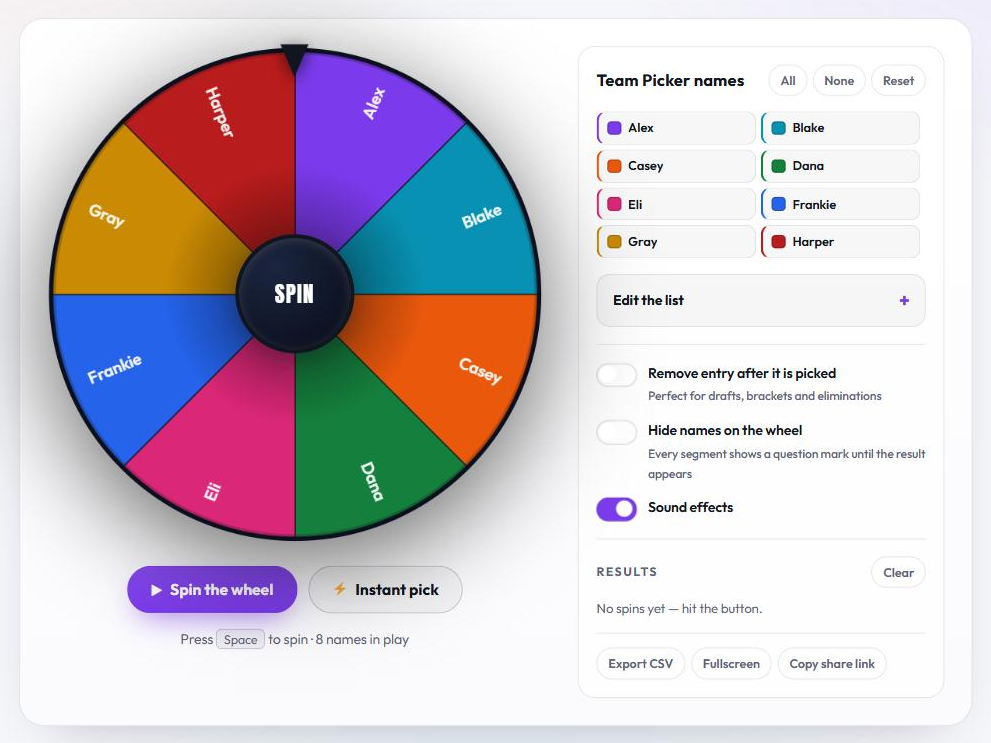
The Team Picker Wheel as it loads, with eight placeholder names already in play. -
Put your own names on the wheel
Click Edit the list to open the text box, clear the placeholder names and type one entry per line. Press Apply to wheel and the wheel redraws with your list, giving every entry its own color.
Four rules govern that box. Blank lines are skipped, spaces at the start and end of a line are trimmed, the wheel needs at least two usable lines before it will accept a list, and it stops reading after 100 entries.
Your list is saved in your own browser rather than on the site, so it is still there when you come back and it never changes what other visitors see. Restore starting list brings the original names back.
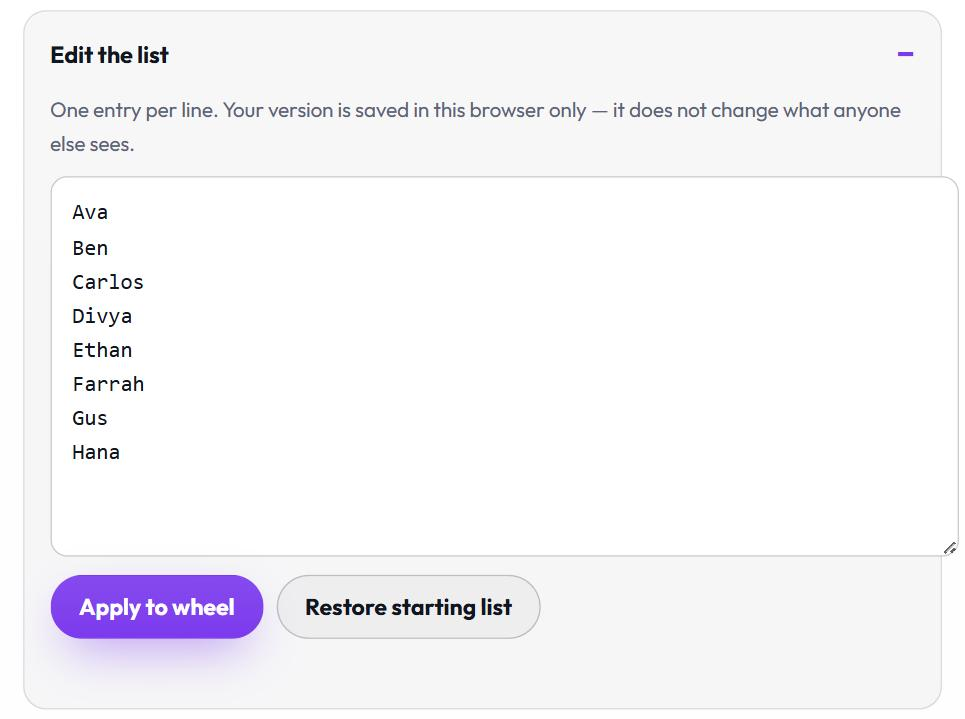
One entry per line, then Apply to wheel. -
Switch names off instead of deleting them
Every name in the panel is a button. Click one and it fades to grey, its slice leaves the wheel, and the line under the spin buttons updates to show how many names are still in play. Click it again to put it back.
All turns every name back on and None turns them all off. Reset is the bigger one: it turns every name back on, undoes any eliminations and empties the results list, which makes it the button to press before a fresh session.
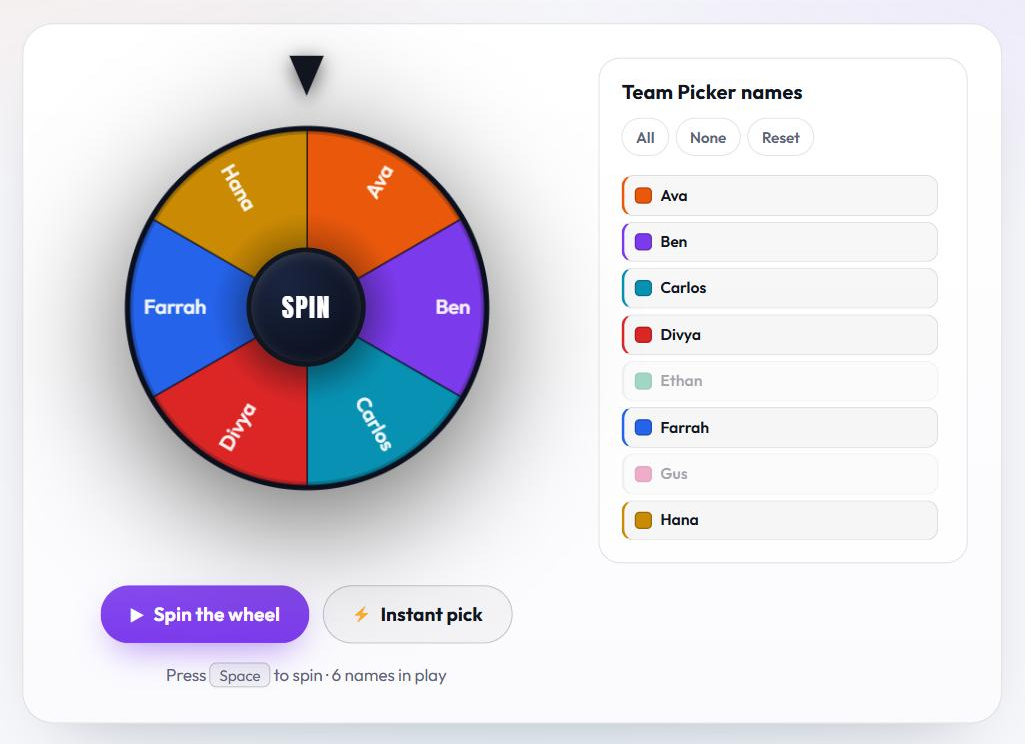
Ethan and Gus are switched off, so six of the eight names are still in play. -
Spin the Team Picker Wheel
Three controls start a spin and they all do the same job: the purple Spin the wheel button, the dark SPIN hub in the middle of the wheel, and the space bar. The space bar only fires while the wheel is on screen and your cursor is outside a text box, so it will not go off while you are still typing names.
Instant pick skips the animation and names a winner immediately. Spin the wheel when a group is watching, and use Instant pick when you are running draw after draw and do not want to wait for the animation each time.
The hint line under the buttons always shows how many names the next spin will draw from. -
Read the result
The result card covers the wheel and prints the winning name in large type. Spin again runs the next spin without closing the card, and Copy result puts the winning name on your clipboard so you can paste it into a chat or a document.
Close the card with the cross in its corner or by pressing Escape. Either way the result has already been recorded in the list further down the panel.
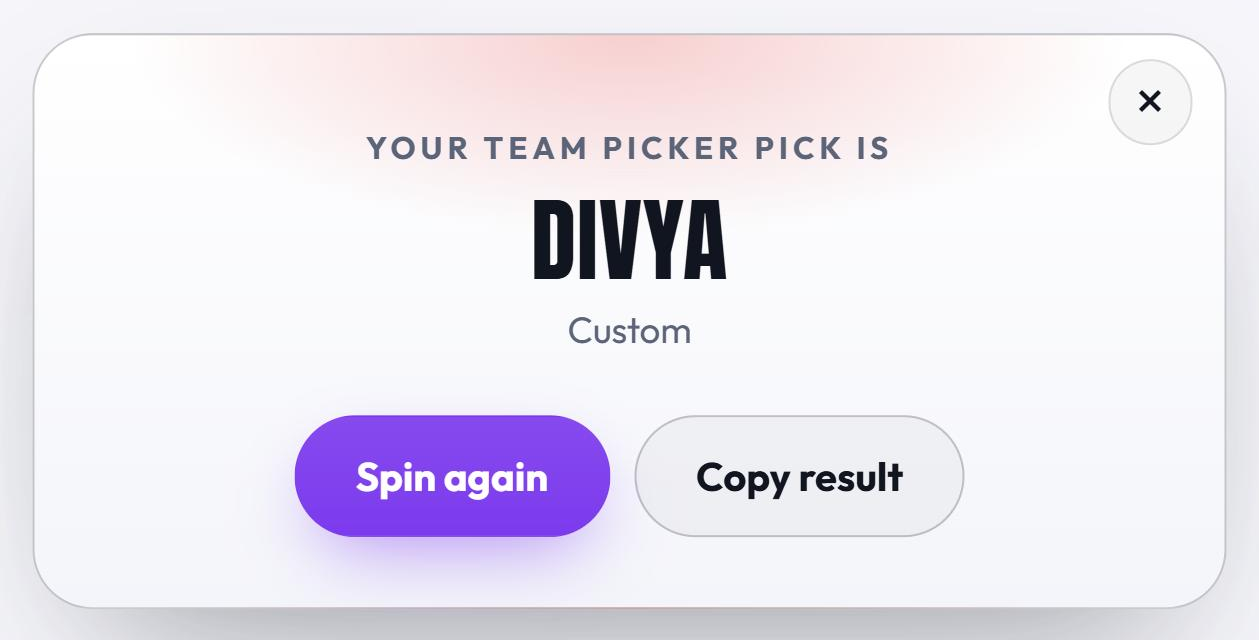
The result card names the winner and offers the next spin straight away. -
Set the three switches before you start
Three switches sit under the name list, and the wheel remembers all three in your browser, so a setup you choose today is still in place tomorrow.
Remove entry after it is picked turns single draws into a running order. Hide names on the wheel replaces every label with a question mark. Sound effects controls the tick that speeds up and slows down with the wheel and the flourish that plays on a result, so switch it off on a shared screen or in a quiet room.
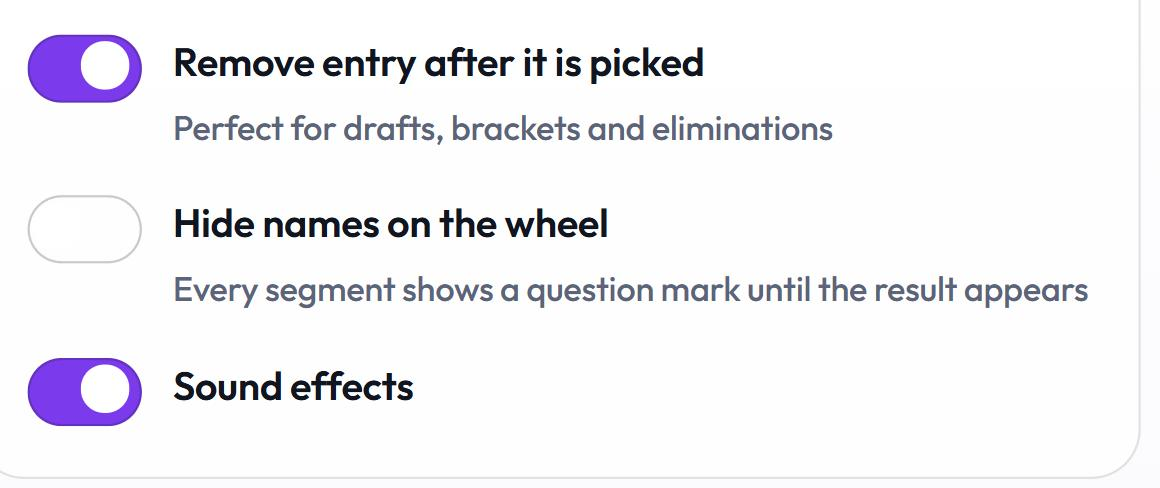
Each switch is remembered in your browser between visits. -
Draw a full order with no repeats
Switch on Remove entry after it is picked and each winner leaves the pool the moment it is drawn. Keep spinning and the Team Picker Wheel gives you a complete order with nothing repeated: a draft order, a presentation running order, a bracket seeding, or simply who goes first, second and third.
Names that have already come up fade in the list rather than disappearing, so you can see at a glance who is left. The wheel shrinks to the remaining names on every spin, and the run carries on to the very last name.
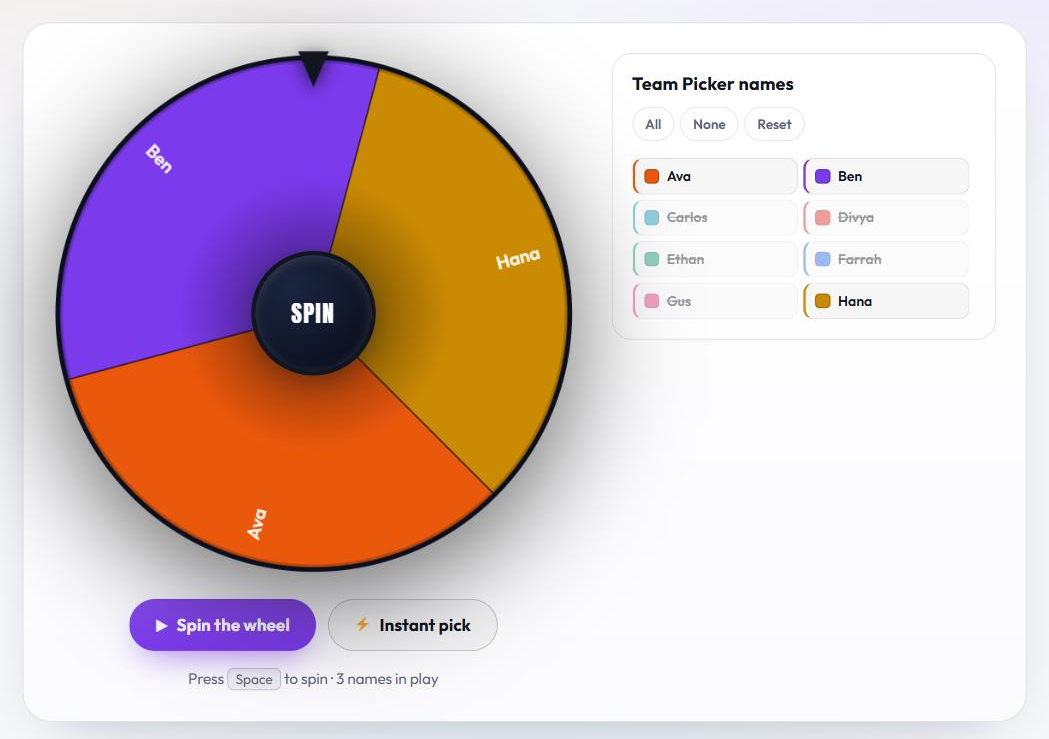
Five names have already been drawn and three are still on the wheel. -
Hide the names for a reveal
Switch on Hide names on the wheel and every slice shows a white question mark. The colors still turn and the pointer still lands somewhere, but nobody can track their own name around the rim and see it coming.
The winner appears only on the result card, which makes this the setting for a prize draw, a classroom reveal, or anything where the surprise is the point.
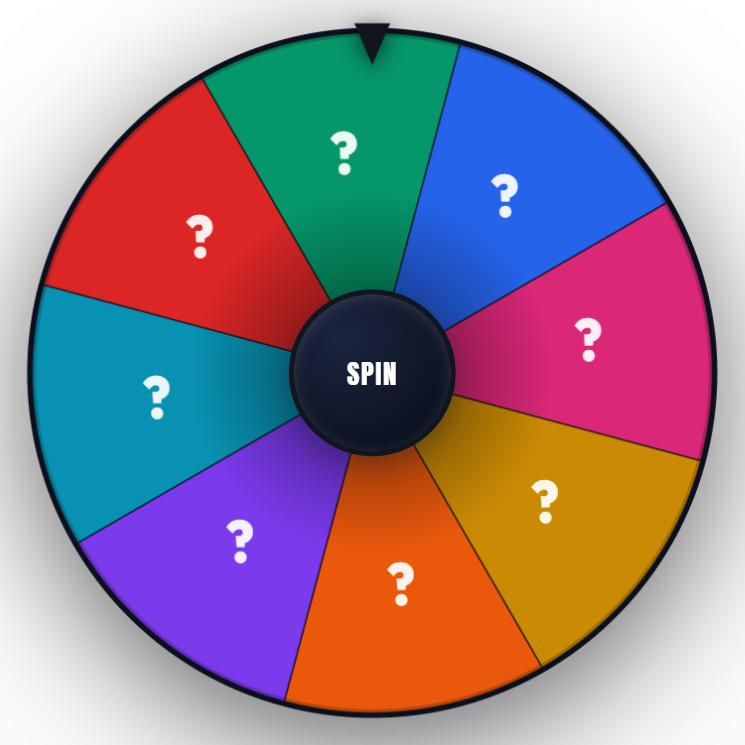
With hide names on, the wheel gives nothing away until the result card opens. -
Keep, count and export your results
Every spin lands in the numbered Results list with the newest at the top, and Clear empties it. Under that list a tally counts your spins, counts how many different names have won, and gives each name a bar and a percentage, most frequent first.
Three buttons finish the panel. Export CSV downloads your results as a spreadsheet file, numbered in the order they happened. Fullscreen expands the wheel to fill the screen for a projector or a stream. Copy share link packs your list into a web address, so whoever opens that link sees your names already on the wheel, up to 100 entries of up to 60 characters each.
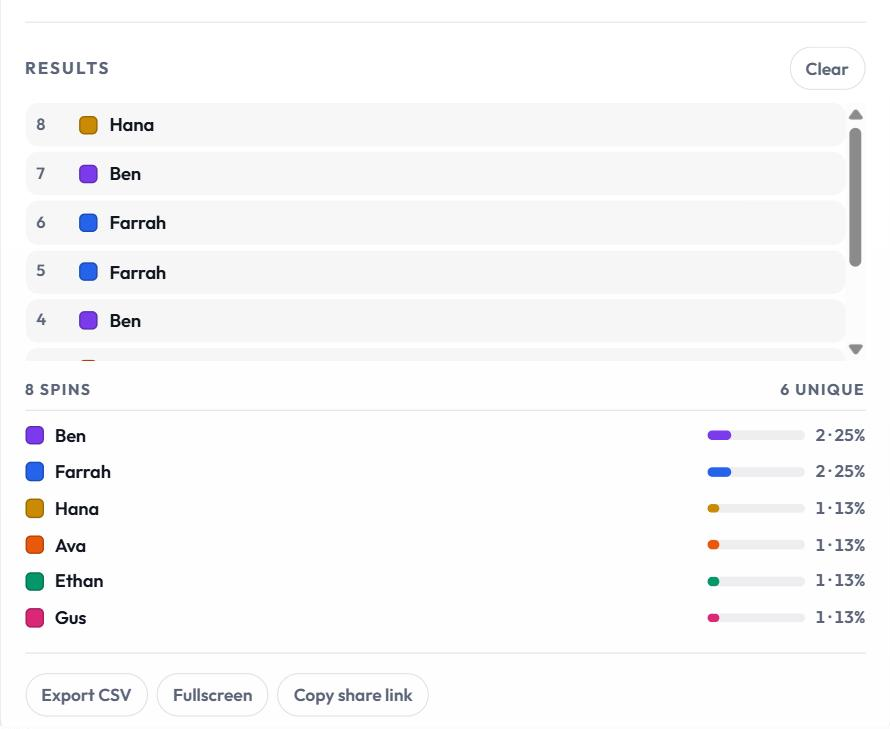
The tally turns a run of spins into counts and percentages. -
Use it on a phone or a tablet
On a narrow screen the Team Picker Wheel stacks into a single column: the wheel first, then full-width Spin the wheel and Instant pick buttons, then the name list and the rest of the controls underneath.
Every control is sized for a thumb, the wheel scales to the screen, and nothing needs installing. A list you save on a phone stays on that phone, so use Copy share link to carry it to another device.
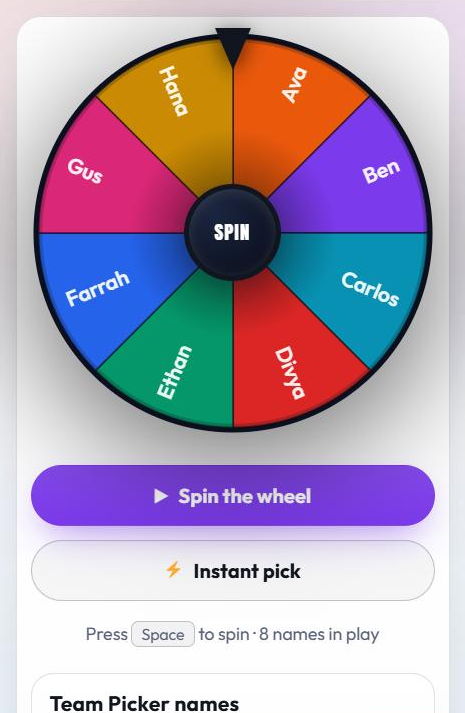
The same wheel and the same controls, stacked for a phone screen.
Every control on the Team Picker Wheel, in one table
The table below names every control on the wheel, says where it sits and says what it changes, so you can look one up without reading the walkthrough again.
| Control | Where it is | What it does |
|---|---|---|
| Spin the wheel | Under the wheel | Starts an animated spin and lands the pointer on one name. |
| SPIN hub | Center of the wheel | Does exactly what the Spin the wheel button does. |
| Space bar | Keyboard | Spins, as long as the wheel is on screen and the cursor is not inside a text box. |
| Instant pick | Beside Spin the wheel | Picks a winner straight away, with no animation. |
| A name in the list | Name panel | Switches that one name on or off for the next spin. |
| All / None | Top of the name list | Turns every name on, or turns every name off. |
| Reset | Top of the name list | Turns every name back on, undoes eliminations and empties the results list. |
| Edit the list | Under the name list | Opens the box where you type your own entries, one per line. |
| Apply to wheel | Inside Edit the list | Saves the typed list to this browser and redraws the wheel. |
| Restore starting list | Inside Edit the list | Puts the original names back on the wheel. |
| Remove entry after it is picked | Switches | Drops each winner out, so a run of spins produces an order with no repeats. |
| Hide names on the wheel | Switches | Shows a question mark on every slice until the result card appears. |
| Sound effects | Switches | Turns the spin tick and the result flourish on or off. |
| Clear | Results heading | Empties the results list and the tally and leaves the wheel as it is. |
| Export CSV | Under the tally | Downloads your results as a CSV file that opens in any spreadsheet. |
| Fullscreen | Under the tally | Expands the wheel to fill the whole screen. |
| Copy share link | Under the tally | Copies a link that carries your list to anyone who opens it. |
| Spin again | Result card | Runs the next spin without closing the card. |
| Copy result | Result card | Copies the winning name to the clipboard. |
| Escape key, or the cross | Result card | Closes the card. |
What to do when the wheel does not behave
Six things account for almost every report that the Team Picker Wheel is stuck. Each one has a one-step fix.
| What you see | Why it happens | What to do |
|---|---|---|
| The space bar does nothing | The cursor is inside the name box, or the wheel has scrolled off screen | Click outside the box, scroll the wheel back into view, or press Spin the wheel instead. |
| Apply to wheel will not take my list | The box holds fewer than two usable lines | Add a second entry. Blank lines and spaces on their own do not count as entries. |
| Some names are missing after I applied the list | The wheel stops reading after 100 entries | Shorten the list, or run the draw in two rounds. |
| The wheel is empty and will not spin | Every name has been switched off | Press All to put them all back on the wheel. |
| My saved names have gone | The browser cleared its storage, or Restore starting list was pressed | Paste the list into Edit the list again, and keep a share link as your backup copy. |
| The same name keeps winning | Remove entry after it is picked is switched off, so every name stays in the pool | Switch it on when you want an order with no repeats. |
Ready-made wheels for the NFL, NBA, MLB, NHL and more
The wheel above starts empty of real names so you can type your own. When the names are already fixed — the 32 NFL clubs, the 30 NBA franchises — a ready-made wheel saves the typing. Each one below arrives loaded with its full roster, real crests and division filters.
One wheel, built properly
Most random team pickers give you a name on a plain wheel. These give you the crest, the club color, the conference and the division — and they let you decide who is even eligible before you spin.
Filter down to exactly the teams you want
Every team starts on the wheel. Tap a conference to drop half the league, tap a division to drop four teams, or tap a single crest to remove just that club. The wheel redraws instantly, so you always see what you are actually spinning.
Draft mode, not just one-off picks
Switch on Remove team after it is picked and every winner falls off the wheel. Spin repeatedly and you get a full draft order with no repeats — the fastest way to sort a fantasy league, a knockout bracket or who gets which club in franchise mode.
Genuinely random, and provably so
Each spin draws from the browser’s cryptographic random number generator and discards biased values, so every team still in play has exactly the same chance. The winner is chosen before the animation starts — the wheel is just showing you where it landed.
Fast, private, and free
No account, no download, no spin limit. Your team selection and sound setting are remembered in your own browser and nothing about your result is ever sent to a server.
How the ready-made league wheels work
- Choose a league. NFL, NBA, MLB or NHL — each has its own page with its own wheel.
- Set the field. Leave the whole league in, or narrow it to one conference, one division or a handful of clubs.
- Spin. Use the big button, the hub in the middle, or just tap the space bar.
- Take the result. The winner appears with its crest and division, and lands in the results list so you can keep a record.
Frequently asked questions
Is Team Picker Wheel free?
Yes. Every wheel is free to use, with no account, no download and no cap on how many times you can spin.
Which leagues are covered?
All four North American majors: the NFL (32 teams), the NBA (30), MLB (30) and the NHL (32). Each one lives on its own page.
Can I pick from only part of a league?
Yes. Turn conferences, divisions or individual clubs on and off before you spin. The wheel only ever contains the teams you left in.
Can I get a full draft order instead of one team?
Turn on "Remove team after it is picked". Each winner drops off the wheel, so a run of spins produces an order with no duplicates.
Does it work on a phone or tablet?
Yes. The wheel scales to the screen and every control is sized for touch. Nothing needs installing.
Do you store my results?
No. Your selection and sound preference are kept in your own browser only. Results are never sent anywhere.